Momonga Monday: A Challenge And A Lost City

Another Monday, another update :) we are working hard on the boss levels and the interface. In addition, some of the levels are getting a new look and feel.

Panda’s Challenge

The first bossfight you will encounter is your mentor, Panda. After healing you, he gets you started with some target practice – and now it’s time for a tougher challenge.

Here is the concept art for this level:

Momonga Pinball Adventures - Panda's Challenge

I will not reveal all the details today, but I can tell you it involves a lot of pinballing. ;)

The Lost City

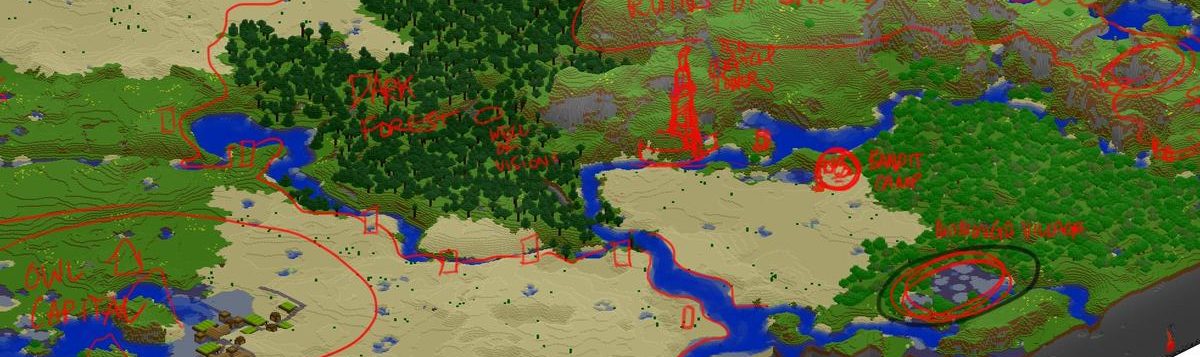
We had a couple of woodland levels that are getting a cosmetic makeover. As you can see in the Level Selection Map, there is an old city at the center. This city is kind of maya-ish, and we are giving the levels a makeover to match this new style.

The process for coming up with a level look-and-feel has five steps:

  1. Create a rough draft of the storyline, focusing on the history of the environment and characters
  2. Gather reference material (in this case, ancient mesoamerican civilizations)
  3. Create a draft of the game mechanics (in this case that includes level design, as pinball is extremely environment-centric)
  4. Create concept art of the level (combining mechanics, storyline and environment)
  5. Create the 3D art assets

Step 1,2 and 3 are explorative and we usually take these steps simultaneously. A storyline influences the mechanics, and vice versa. There is no rigid process, except that we are exploring ideas in this stage. In step 4 and 5 we gather all that input and combine them to create solid art assets. This is simply matching the existing pieces to create the final picture.

For the Lost City levels, we are reworking existing levels. That means we have the game mechanics pretty much sorted out. What you see above is concept art of individual art assets, based on the storyline and reference material we found. These assets need to be positioned in the level. We create a rough sketch for this as well, which looks like this:

When we have the rough outlines, we proceed to create the 3D assets and really make the level work.

User Interface

Oh, the dreaded beautiful retina user interface. For weeks the Graphic User Interface (GUI) was getting a complete overhaul, and this meant that we could not play the game at all except in the editor and with older builds. But lo and behold! Yesterday we had a review session where the game was playable again, this time with the new interface. I think it is a big improvement, and I hope you will like it as much as I do. Next week we are going to optimize the system and fix a whole bunch of bugs that came with this massive undertaking. When we finally nail this thing, it will be good to get back to improving gameplay and adding levels!

Right now we are still working on optimizing the memory use. We work our way down from the new iPad’s huge retina display. This means we have texture widths of up to 2048 pixels! Compare that to the lousy 480 pixels of the iPhone 3GS and you see that this can become a bit of a memory issue.

You have seen the GUI visuals before so I have nothing much to add to that – but when it’s all finished I will post a short video of how the new interface in action.

That wraps it up for this week! If you are curious about the development of Momonga Pinball Adventures, I recommend you sign up for our newsletter.

Here is a list of the older Momonga Mondays:

Take care everyone! See you next week :)

Momonga Monday: Did We Fail Miserably?

On this beautiful Pentecost Monday I want to talk about something that’s been bugging me for a while now: The Deadline.

Remember the Momonga trailer we sent out a couple of months ago? It got great coverage from sites like Kotaku and TouchArcade, and with 10k+ views on Youtube, people really seem to like it. Awesome.

I don’t see no Fail here. Spill the beans!

Well, the trailer casually mentions “Coming Spring 2012″.

Officially, Spring ends on June 20th.

And as that deadline approaches, one thing is clear to me: We will not make it.

OMG but why?

There are plenty of reasons for this, but the primary issue is that things take longer than we expected. One of the core principles is that the user experience should be awesome. We refuse to sacrifice awesomeness in exchange for a faster release date or lower budget. Sounds weird, perhaps, but without an awesome product we will never get to where we want to be.

To provide that awesomeness takes time. In particular, these bottlenecks keep popping up:

  1. It takes a lot of time to design and implement an awesome GUI
  2. It takes a lot of time to design and polish an awesome level
  3. It takes a lot of time to hunt and kill un-awesome bugs

This adds up, and next thing you know you are three weeks away from your deadline, and not even close to shipping a finished product.

Now what?

When something like this happens, first thing is that you announce it to the world. That is what I am doing now. ;-)

Then you need to consider the consequences. In our case, we will not make the deadline of June 20th. And it will cost a bit more money.

The third thing is to consider whether these consequences are critical. Because if they are, you will need to ship no matter what – even if the product sucks. In this case, to be honest, the consequences are bearable: The deadline was self-imposed and the budget is flexible. However, with a bigger budget we will have a harder time breaking even. It’s putting even more eggs in the same old basket. I believe in this project, so a bit of extra budget won’t kill anyone. But it’s real money, so we need to be careful with that.

Then there is a last step: Limit the damage. What can we do to launch as soon as we can, and don’t go over budget too much? Well, I guess there is one thing: Kill your darlings.

Kill my precious darlings?

Yup, that’s what I will be doing the upcoming weeks.

For example, I have over-ambitious plans for something called “Paladin Arena”. It is a multi-platform, multi-social-network system that allows you to play a game on any device with any of your friends on any of your preferred social networks.

Consider it killed.

At least for version 1.0.

There are other big features, like bonus levels. And little features: extra challenges, a super awesome start screen, a cliffhanger at the end and a “Gift This App” button.

I will decide what to do with these things in the upcoming weeks. But there is a good chance that we will have to kill those as well.

This means that we have work to do after the launch. There will be room for improvement, and hopefully we will be given the opportunity to make these improvements along the way. That’s up to the iPhone gamers, and we will find out soon.

What Survives?

The essentials. The things that contribute to the core gaming experience.

For example, here is the backdrop for the Level Selection GUI:

Momonga Pinball Adventures - Level Selection Map

The Panda boss stage is going to be awesome.

And last week I mentioned a new boss fight. I will not reveal that one yet, but he is hilarious. :)

Of course, the storyline will be there.

We will have an awesome interface.

Game Center support.

The list goes on, suffice to say that the game will be awesome.

So… give us a new date!

Ah, the one question that asks it all. When will we release Momonga?

Truth is, I don’t know. It will not be months and months away, but we will not make June 20th either. We will only release it when we feel that it’s something amazing, and there are plenty of dependencies and unknowns for that. I’m sorry to say it, but it’s done when it’s done.

So, what do you think? Are we setting the bar too high? Or is striving for something awesome the way to go? Let us know in the comments! :-)

Enjoy the rest of your day off, and see you next week!

Cheers,
Derk

Momonga Monday: 4 Work-In-Progress Updates

It’s Monday, so it’s time for another Momonga update. This week I will give you a bit of a progress report, as we have been working on some cool things recently. We are closing in on the deadline, and things are slowly progressing to where we want it to be. Not as fast as we had hoped… but I guess that’s how it goes – it’s done when it’s done.

(More on release dates soon – We are still trying to squeeze it in the “Spring” deadline we set for ourselves, but it will be tough to make that one. We might have to postpone.)

1. Interface

Yorick and Tedo are working hard on the implementation of the new interface. You have seen the interface designs for the iPhone and iPad versions of the game, and now we are making them functional. (And by the way – if you are interested in the interaction design process, here is an 8-Step Guide To Interface Design for iPhone Games.)

Here is the HUD in Unity, ready for action:

And here are the Chapter and Level Selection screens in Unity:

They sort of work at this stage, but as you can see they are not fully implemented yet. We have switched to a plugin called “NGUI” for Unity, and that works out pretty well – but it’s a new plugin for us, so there is some learning involved.

Slow and steady wins the race here. I think we will have the interface ready this week or the next.

2. Boss level: Giant Mole Rat

We have been brainstorming on a new boss level. In the Forest chapter, you travel through the old forests of Xio, which holds the ruins of a legendary city. In the boss level, you are happily traveling the forest, and then this happens:

…and what happens next is that you meet a Giant Mole Rat. We might show a bit more of the level in another Momonga Monday. Maybe we’ll save it for launch. Don’t know yet. ;-)

3. Chapter Selection environment

Jimmy is currently hard at work on the new chapter selection backdrop. We have three chapters, and each has its own environment style. All of this comes together in a huge painting, Bob Ross style:

This is still work in progress, so stay tuned for the final result :)

4. Dialogue & Cutscenes

We have created a new Dialogue & Cutscene system and I am in the process of implementing the text. It feels like being a director on a movie set, which is awesome :)

It is a matter of setting up the scene, positioning the characters, and adding dialogue in a plug-in called Playmaker. And here is a work-in-progress screenshot of what that looks like in-game:

We still have a lot of work to do on the dialogue and backgrounds – there is no backdrop yet. All of that will be fixed soon.

See you next week! And it is Pentecost then, so it’s probably going to be Tuesday ;-)

Cheers!
Derk

Momonga Monday: The 33 Cutest Momonga Pictures Evah!

Momongas – Japanese Dwarf Flying Squirrels – are simply the cutest animals alive. They have big eyes, and they are so fluffy I’m gonna die. These little innocent flying squirrels live in the mountain forests of Japan. They have cousins all over the world – sugar gliders, their possum friends, are quite common as pets. But there is only one true Momonga, and that one lives in Japan.

We have rounded up 33 of the cutest pictures we could find. Enjoy! :)

1. Momonga pretending to be a French Flying Squirrel

http://i2.wp.com/24.media.tumblr.com/tumblr_lvno6vbCtl1qzbxjgo1_500.jpg?resize=500%2C374

2. A nice furry tail keeps this fella warm

http://i2.wp.com/cbskjkk.files.wordpress.com/2012/04/momonga-dwarf-flying-squirrels-16.jpg?resize=500%2C350

3. Nuts! I smell nuts!

http://www16.ocn.ne.jp/~bunbukut/momonga-223_2381.JPG

4. This twig doesn’t think I’m overweight.

http://i2.wp.com/tinadot.files.wordpress.com/2010/04/momonga2.jpg?resize=300%2C212

5. Whatcha looking at?

http://i1.wp.com/7dscience.wikispaces.com/file/view/gal-flying-squirrel.jpg/214869678/gal-flying-squirrel.jpg?w=920

6. Iiit’s… n..not f..freezing at all… look I’m s..s..miling!

http://i0.wp.com/30.media.tumblr.com/tumblr_lqg3777Hg81qi3ps8o3_500.jpg?resize=500%2C375

7. Momonga playing peek-a-boo

http://i2.wp.com/cbskluv.files.wordpress.com/2012/04/momonga-dwarf-flying-squirrels-4.jpg?resize=500%2C375

8. Beautiful shot of Pteromys Momonga

http://i0.wp.com/www.antalik.com/wp-content/uploads/2011/12/MOMONGA-1.jpg?resize=600%2C554

9. Goodmoooooooorning!

10. Sittin’ on a stick, eating nuts.

http://i0.wp.com/i.ytimg.com/vi/LSVO2EoWYQk/0.jpg?resize=480%2C360

11. This one looks cute, but look closer – he is preparing a ninja attack.

http://i1.wp.com/28.media.tumblr.com/tumblr_lsq0uzjIGj1r07vjco1_1280.jpg?resize=588%2C400

12. Shy little momonga

13. Practicing his roll-up-like-a-pinball-move

14. Do you think my butt looks big?

15. Beautiful shot of what must be a wise old momonga

16. Holy cow, batman! Was it a plane? A rocket? A flying squirrel?

17. Friendship keeps you warm in the night

18. I am the terror that flaps in the night. I am Darkwing Squirrel.

19. One likes the other more than the other likes him back.

http://i0.wp.com/grahamten.files.wordpress.com/2009/08/momonga6.jpg?resize=300%2C213

20. Omnomnomnomnom twigs are the best breakfast evah.

http://i2.wp.com/forestnaturevision.com/zenphoto/cache/still/--/momonga_595_fnv.jpg?resize=480%2C316

21. I bet you can squeeze your head through this hole.

http://i2.wp.com/eco.pref.yamaguchi.jp/rdb/img/01img/010006_01l.jpg?w=920

22. You can tell that one of those two cracked a dirty joke.

http://i1.wp.com/livedoor.blogimg.jp/tarouimo/imgs/6/e/6e77126f.jpg?resize=600%2C425

23. My… nose… is… frozen stuck… in the snow…

http://i0.wp.com/www.tougewo-koete.jp/animal/momonga/2miki1.JPG?w=920

24. Yummy tail.

http://i2.wp.com/4.bp.blogspot.com/_QzGFMKkDCh8/S7MnAm1c70I/AAAAAAAAAgY/UcvhTeL887s/s1600/maruyama2.jpg?w=920

25. Here. Have a cigar.

http://i1.wp.com/pds.exblog.jp/pds/1/200609/07/81/c0072481_22365195.jpg?w=920

26. Fits like a glove.

27. Morning yoga!

http://i1.wp.com/www.tokachi.co.jp/photograph/201203/THM20120301-0011915-0012673.jpg?w=920

28. Goodies :)

http://i2.wp.com/pds.exblog.jp/pds/1/201203/03/71/b0171771_359450.jpg?w=920

29. Get a room you two!

ニホンモモンガの画像

30. Howdy partner! Wanna join for dinner?

31. Power to the squirrels!

http://i0.wp.com/www.paladinstudios.com/wp-content/uploads/2012/03/Momonga2.jpg?w=920

32. My eye is too big.

33. Guys, I think we’re being snuck upon…

http://i1.wp.com/www.paladinstudios.com/wp-content/uploads/2012/03/Momonga1.jpg?w=920

Bonus: And here is Momo, our version of this overly cute fluffball :)

This concludes our ultimate list of momonga cuteness. Hope you enjoyed it, and share the love! :)

- Derk & Peter

No animals were harmed during the making of this blogpost.

Sources:

http://www.buzzfeed.com/theangryluddite/meet-the-momonga-25-photos-of-flying-dwarf-squir-5dn9

http://www.tumblr.com/tagged/pteromys-momonga

http://ceron.jp/

Momonga Monday: The New Retina Interface

In our recent Interface Design Tutorial, I mentioned that the interface was getting a complete makeover. With the retina interface for the new iPad, we had to do the whole thing over again (always use vectors!) and while we were at it, the interaction designs were not so good to start with. So we went back to the drawing board and redesigned the whole thing. The visuals are now done, and while the coders are working hard to implement it, let’s have a first look at how it will turn out!

The Game HUD

The game HUD shows the player the info about the game session. In our case, that’s the number of lives left, the numer of stars picked up, and the time left for a bonus. There’s also an update bar for challenges, so you are notified when you complete an objective. Last but not least, there is a pause button that allows you to restart the session or go back to the main menu.

Here is the old design:

Not too bad, but it could be a bit better. For example, the color orange is used for buttons, but in this case it is also used for panels that cannot be clicked. We also mixed circular items and rounded corner items – not very consistent. Here is the new design:

Level Selection Screen

The level selection interface was crowded. There was too much information, and we had 14 buttons on one screen (the screenshot below doesn’t show all levels). For an iPhone interface, my rule of thumb is to have 3 buttons on the screen at most (of course with an exception here and there). With that rule, the old Level Selection screen had almost 5 times too many buttons! I was a bad interaction designer. And it didn’t work out. So I try again.

The old design:

This shows your score, challenges with description, high scores, and it allows you to select a level. All levels are laid out on the screen and there is a “back” button (called “menu”) and a “play” button.

The first thing we wanted to do was to split all this up. We now have three different screens:

  1. Chapter Selection – instead of 9 levels, we have 3 chapters, each with 3 levels. Here you only see the high-level layout of the storyline, with more room for the backdrop drawing of the world.
  2. Level Selection – here we get deeper into level selection. You need to see your score and any open challenges for the level you are about to play.
  3. High Score screen – no need to show all that information when you just want to play a level. This should be a separate screen.

This is what the Chapter Selection looks like:

When you select a chapter, you go to the Level Selection screen:

The superhero names are placeholders, we use them as identifiers (see this post for more info).

The bottom panel with “Life Saver” is a Challenge. It’s a bit like a quest, and can be anything from “Finish the level in 30 seconds” to “Find the hidden gem” or “Kill 600 boars and report to the chef cook”. You unlock these challenges by finishing the level, and they give you a permanent score boost if you complete them.

Victory Sequence

When you finish a level, it’s rewards time. You need to know how you did. The old interface looked like this:

That was not so bad, but again it was way too crowded. There are too many buttons, too much information. But the worst part is that people instantly pressed the “Next” button, after which the next level would start. Very efficient for speedruns, but it missed a sense of progress.

Players also failed to understand how their score was built up, and every single player we tested it on missed the point of “Challenges”. And because Challenges are essential for replayability, we needed to pimp this victory screen. But how do you feed the player all this information?

The answer is to give little bits of candy, one bite at a time.

First up is the challenge: If you complete it, that’s a big thing! You did great, and you are awesome. You get medals. A score boost. Maybe even a badge! There’s progress, there’s victory. It’s important, so it comes up first.

If you didn’t complete the challenge – no worries, we simply skip this screen.

Then we start the regular score sequence, which has three parts:

  • A counter for a specific “building block” of your score, for example how many stars you collected
  • Your total score (this counts up as we continue)
  • Your stars (also counting up as your total score increases)

The whole thing will be animated, Momo will be on the screen, and it should have a general sense of pleasantness about it. It looks like this:

First we start with the base score giver: the stars. We then continue with the time bonus:

Then there is a bonus for any lives you have left:

And last, but not least, there is a bonus for all the challenges you have completed for that level:

All this adds up to your total score, and you get a maximum of 3 stars for the level. The interface will be animated and players can skip by touching the panels. There is a convenient “Restart” button to try again, and you can check out your high scores while you’re at it.

We removed the “Next” button that skips directly to the next level. We want players to take a step back and see where they are in the scheme of things. So the new “OK” button takes you to the Chapter Selection screen, showing your progress. It will slow you down a bit, and it’s a couple more taps on the screen, but I believe it will be a better experience nonetheless.

In-Game Dialogue

There will be a story in the game, and the characters will be talking to each other. This dialogue needs an interface. Here is the design for that:

Sweet and simple – no fluff, nothing special. We have a cutscene, a character icon, and some text. The only thing I want to note here is that we give the text room to breathe, and we will only show one line of text at a time. This forces us to keep the whole story supercompact and easily digestible.

That wraps it up for this Monday! What do you think? Is it an improvement? Any suggestions to make it better? Let us know in the comments!

Cheers,
Derk